Google "Let It Snow" ...And It Will Surely Snow!!!
This holiday season, Google's got a neat little Easter egg to keep you cheery...especially if you live in an area that doesn't get any snow, but would like to see some.
Just Google "let it snow" (without the quotes) and you'll be able to see some virtual snowflakes falling down your computer screen on the Google search page.
The Google Snowflake Easter Egg
If you let it snow long enough, the Google search button will actually turn into a "Defrost" button that you can use to get rid of the frost and clear your computer screen. -The snowflakes will continue to fall down the page.
Also, once the defrost button appears, you can hold down your left mouse button and use it to erase the accumulated frost...just like clearing off a real frosted window! :)
All in all, it's some fun, festive stuff from Google for the winter holidays. Enjoy!!!
Btw, just like last year, if you do a Google search for 'Hanukkah', you'll see some special decorations along the top of the page. :)
NOTE: As of this posting, Google searches for "Christmas" and "Kwanzaa" seem to be like they are normally.
Here's a cool idea...invisible speakers. Yes, invisible. Emo Labs has developed a revolutionary new technology that turns a TV screen (or a computer screen) into an actual speaker. Instead of the sound emerging from regular speakers like we're used to, it actually comes right out of the screen itself.
The technology is called "Edge Motion," and how it works is pretty darn impressive. A very thin, clear membrane (the actual speaker) is embedded on the TV screen. A thin piezo actuator inside moves back and forth against the membrane and microflexes it, thus, creating the sound.
The end result is excellent sound quality without having to have speakers that take up valuable space. And this is good news since products like flatscreen TVs and laptops keep getting thinner and thinner. With a technology like Emo Labs' Edge Motion speaker system, manufacturers won't have to worry about where to fit the speakers. The speakers will be right in the screen itself. Cool.
Emo Labs' Edge Motion speaker systems can be used in a variety of consumer electronics, such as: Flatscreen TV's, laptops, digital photo frames, gaming consoles, PDAs, portable DVDs, GPS units and more. Edge Motion Invisible Speakers in Action
Here are two video demos with Jason Carlson, the CEO of Emo Labs, showing how this new audio technology works. The videos were taken at the DEMO 2009 conference in San Diego, California.
If you've ever accidentally (or even purposefully) gotten your cell phone wet, or dropped it into a liquid (one of the main phases of matter whose shape is usually determined by the container it fills) and would like to fix it, then you're in luck. Thanks to WikiHow, a wet cell phone doesn't necessarily mean a dead cell phone.
Here are some great tips on how to fix your cell phone if it ever gets wet or water-logged.
How To Fix A Wet Cell Phone
1.Remove the cell phone battery - Removing the battery is is one of the most important steps. Electricity and water do not mix, and cutting power to your cell phone is the crucial first step in saving it. Next, remove the SIM (Subscriber Identity Module) card; some or all of your contacts could be stored on your SIM card, along with other important data.
This could be more worth saving than the cell phone itself. SIM cards survive water damage fairly well, but some of the following steps are unnecessary. For example, don't heat a SIM card. Just dry it off and set it aside until you need to connect your cell phone to your cellular network.
2.Dry your cell phone - Obviously, you need to remove as much of the liquid as soon as possible in order to prevent it from getting deep into the phone and damaging it. Use a towel or a paper towel to remove as much as liquid possible.
3.Allow your cell phone to dry out - Of course you don't want to ruin your cellular phone or lose the phone numbers stored in your phone book, so you need to let the cell phone dry out completely.
Don't try to put the battery back in until you're sure the phone is completely dried out. Doing so would risk damaging the cell phone with a short circuit.
To expedite moisture evaporation, you can leave your cell phone in a bowl of dry rice. The rice will draw any moisture to itself, and thus, greatly aid in the drying process.
4.Heat your cell phone - Apply enough heat to your cell phone to cause the water to evaporate without water-logging your digital screen. One of the best things you can do to save a cell phone is to set it on the back of your computer monitor or TV screen (over the heat vents). This is usually the perfect temperature needed to dry and fix your wet cell phone, and the convection action of the heat vents will help carry away the moisture in your cell phone.
Just leave the phone on the heat for at least 2-3 days. Another option is to leave it overnight in the oven on the "warm" setting.
NOTE: make sure to remove the cell phone battery first!
5.Test your cell phone - After you've waited 3 days, make sure that everything is clean and dry. Then, reattach the battery to the cell phone to see if it works. If your cell phone does not work, repeat step 4. If it still doesn't work, take your cell phone to an authorized cellular dealer as sometimes they can fix it.
Alternative: The Alcohol Soak
To save a wet cell phone, you can also soak your cell phone in alcohol. Alcohol is hygroscopic (absorbs water from its surroundings). This process will dissolve the water in the cell phone. The water will then flow out of the cell phone, and any remaining alcohol will evaporate.
NOTE: Alcohol will not harm your cell phone, but may disrupt glue (from stickers and such). Use 95% alcohol, NOT rubbing alcohol, which is 50% - 70% alcohol by volume. And use it outside! Also, be sure to remove the battery first. After you've soaked it in the alcohol, leave your cell phone outside for a day or two to dry.
How To Fix A Wet Cell Phone
Additional Tips and Warnings
Additional Tips:
• Don’t put the cell phone battery on for at least 3 days or longer if your digital screen is foggy.
• The best way to dry out your wet cell phone is to place it in front of an air conditioner or air conditioning vent. Cold air won’t damage your cell phone (hot air can warp, or in extreme cases, even melt plastic), and air from an air conditioner will evaporate water quickly.
• Warm air from a reverse-cycle air conditioner works even better. If you dry your cell phone in this way overnight, it should be fine by morning.
• Use a hairdryer set on "warm" - it doesn't melt your head, so your cell phone should be safe as well.
• Use a food dehydrator to dry out the cell phone.
Warnings:
• Don’t heat the cell phone battery or it could leak battery acid! If you use an oven or hairdryer, make sure to remove the battery first!
• If you use alcohol, be sure to do so outside, and do not apply heat in any form - not even the gentle heat of a monitor. Do not hook up the cell phone battery until the alcohol smell dissipates.
• Do not apply heat to your cell phone other than mentioned above. You don’t want to melt or burn your phone.
• Even if all these steps are followed, minerals dissolved in the water can precipitate on solder and cell phone component pins, causing corrosion or shorting. The component pins are packed so closely together in a modern cell phone that even minor corrosion can create a short circuit, rendering your cell phone inoperable.
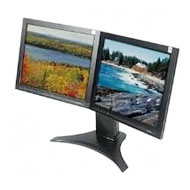
"Recent Windows and Mac computers (and some Linux systems) can operate with multiple monitors; with my computer's Windows XP operating system, it took only a few keystrokes and mouse movements to set things up. Once I saw how it improved my productivity, I was an instant convert.
I should not have been surprised. Survey after survey shows that whether you measure your productivity in facts researched, alien spaceships vaporized, or articles written, adding an extra monitor will give your output a considerable boost — 20 percent to 30 percent, according to a survey by Jon Peddie Research."


 wet, or dropped it into a liquid (one of the main phases of matter whose shape is usually determined by the container it fills) and would like to fix it, then you're in luck. Thanks to